Chrome extension · free, with a Librarian
Your saves, on one shelf.
Bookmark Hero collects what you save on X, Reddit, GitHub, and six more places while you browse, keeps a copy that outlives the original, and finds it again by the words you remember or by what it was about. In your browser, nowhere else.
No account. No API keys. Your shelf never leaves your browser.
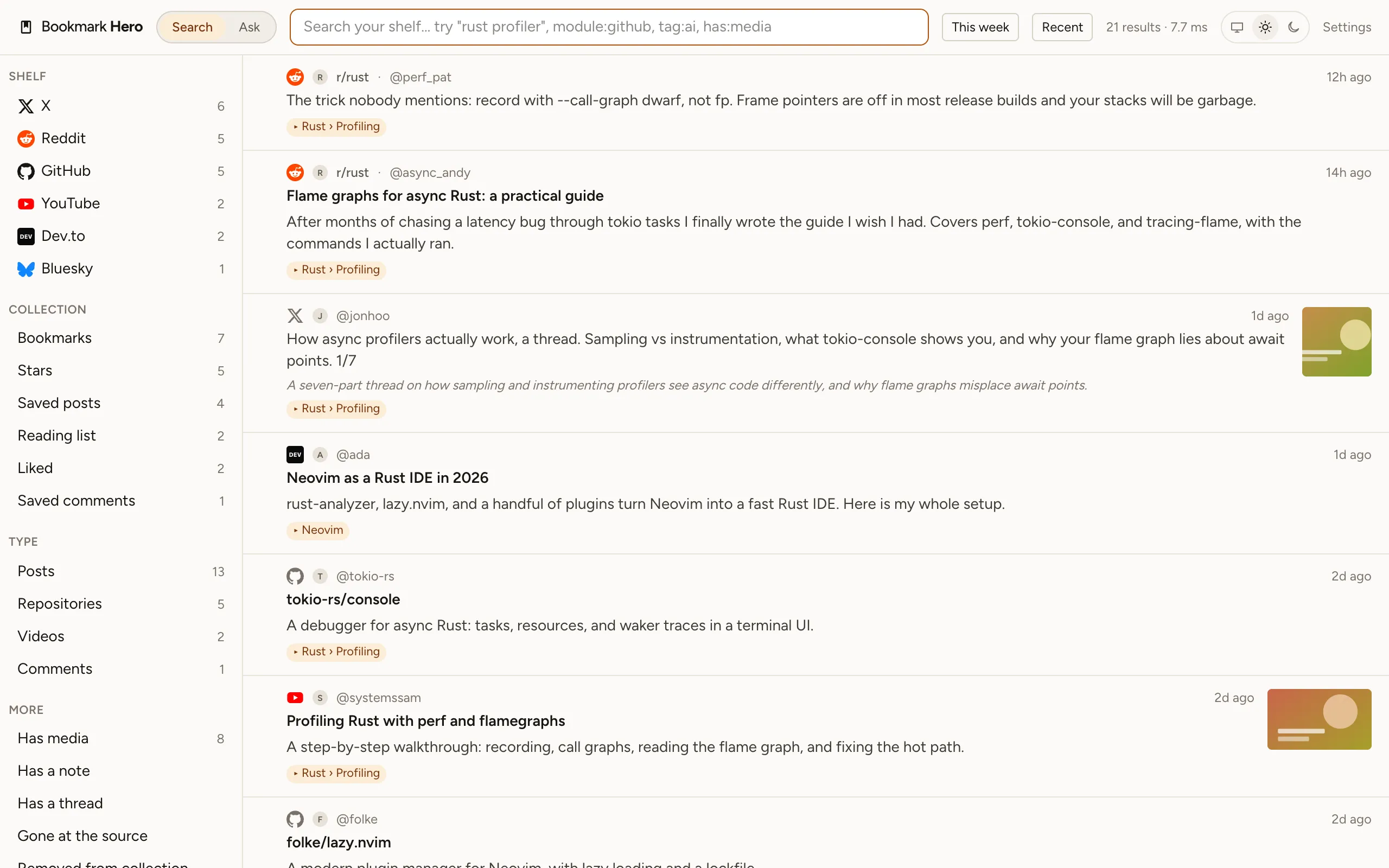
X
Bookmarks and likes
Saved posts, comments, upvotes
GitHub
Stars, lists, watching
Bluesky
Saved posts and likes
Mastodon
Bookmarks and favourites
YouTube
Liked videos, Watch later
Saved posts
Dev.to
Reading list
Browser bookmarks
Every folder, kept in step
And any page you save by hand from the popup, the right-click menu, or Alt+Shift+S.
The problem
The sites keep your saves for you. Until they don’t.
Gone
Deleted means deleted.
When a post you bookmarked is deleted, or its author leaves, it vanishes from your bookmarks too. The sites keep a pointer, not a copy.
1,000
Reddit’s quiet limit.
Reddit shows your most recent thousand saves. Everything older is still yours, and impossible to reach.
Nine
Nine sites, nine piles.
A thread on X, a guide on Reddit, the repository on GitHub, the talk on YouTube: one subject, scattered. None of them searches the way you remember things.
Bookmark Hero keeps a copy the moment you save: the text, the pictures, the links, the post it quoted, the author’s thread. One shelf, one search, and the copy is yours even after the original is gone.
Nothing to set up
Install it, switch on a site, and browse like you always do.
- 1
Install
Add the extension from the Chrome Web Store. There is no account to create.
- 2
Switch on a site
One switch per site, and the extension asks for access to that site only. Switch it off and the access goes with it.
- 3
Browse as usual
Every bookmark, save, and star shows up on your shelf by itself, using the login your browser already has. The first time, it walks back through your history at a polite pace.
Search by meaning Librarian
Find it by what it was about.
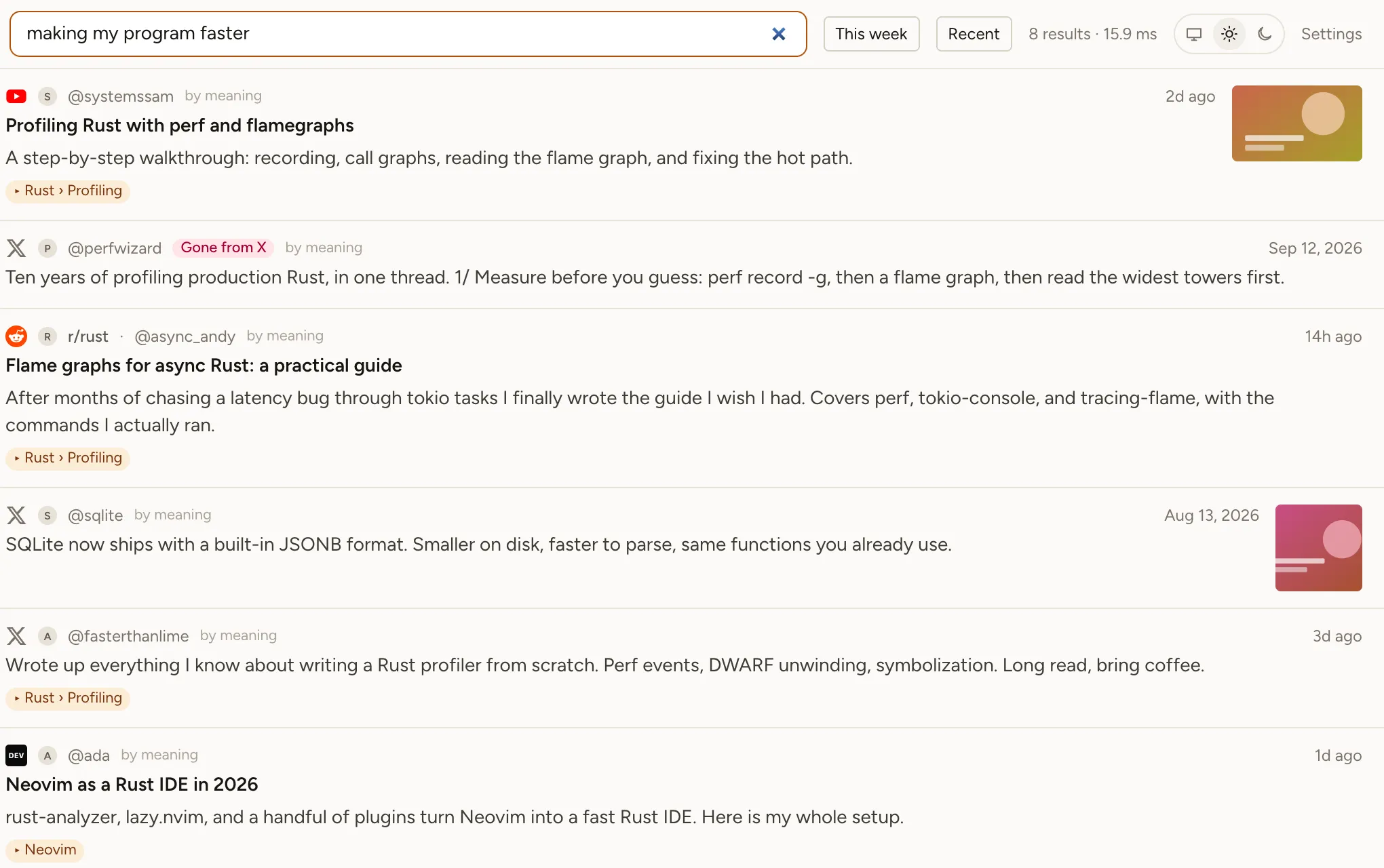
Type “making my program faster” and find the flame-graph guide, the profiler thread, and the perf video, though none of them uses those words. Meaning and word matches come back in one list, with the meaning matches marked. The model runs on your computer: no search, save, or index ever leaves it.
Ask your shelf Librarian
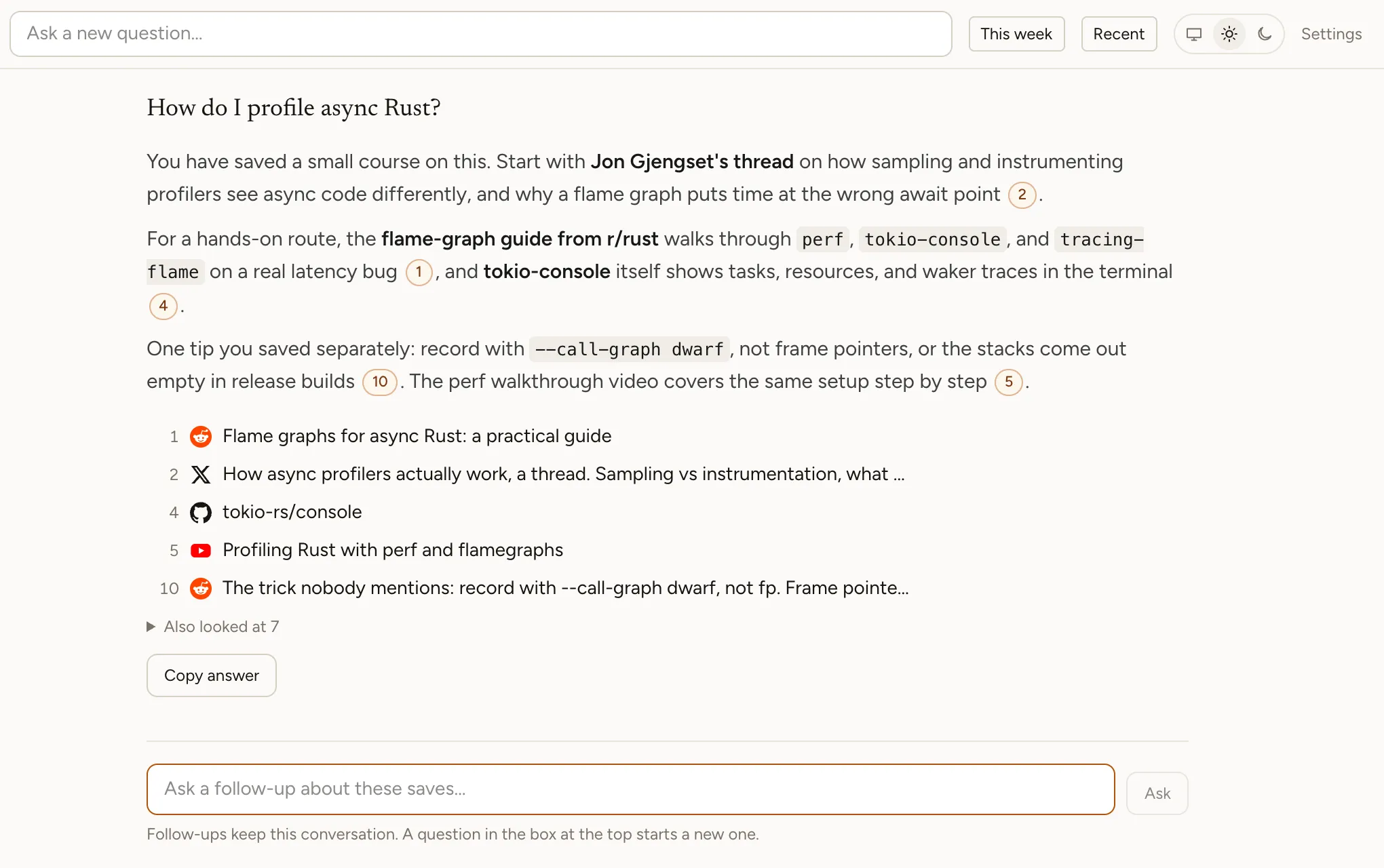
Ask a question. Get an answer from your own saves.
Ask finds the saves that bear on your question and writes an answer from those alone, with a numbered link to each save it used. Ask a follow-up and it looks again. It works with Bookmark Hero AI, your own key, or a model on your own machine, and it never invents a source you did not save.
The week in review Librarian
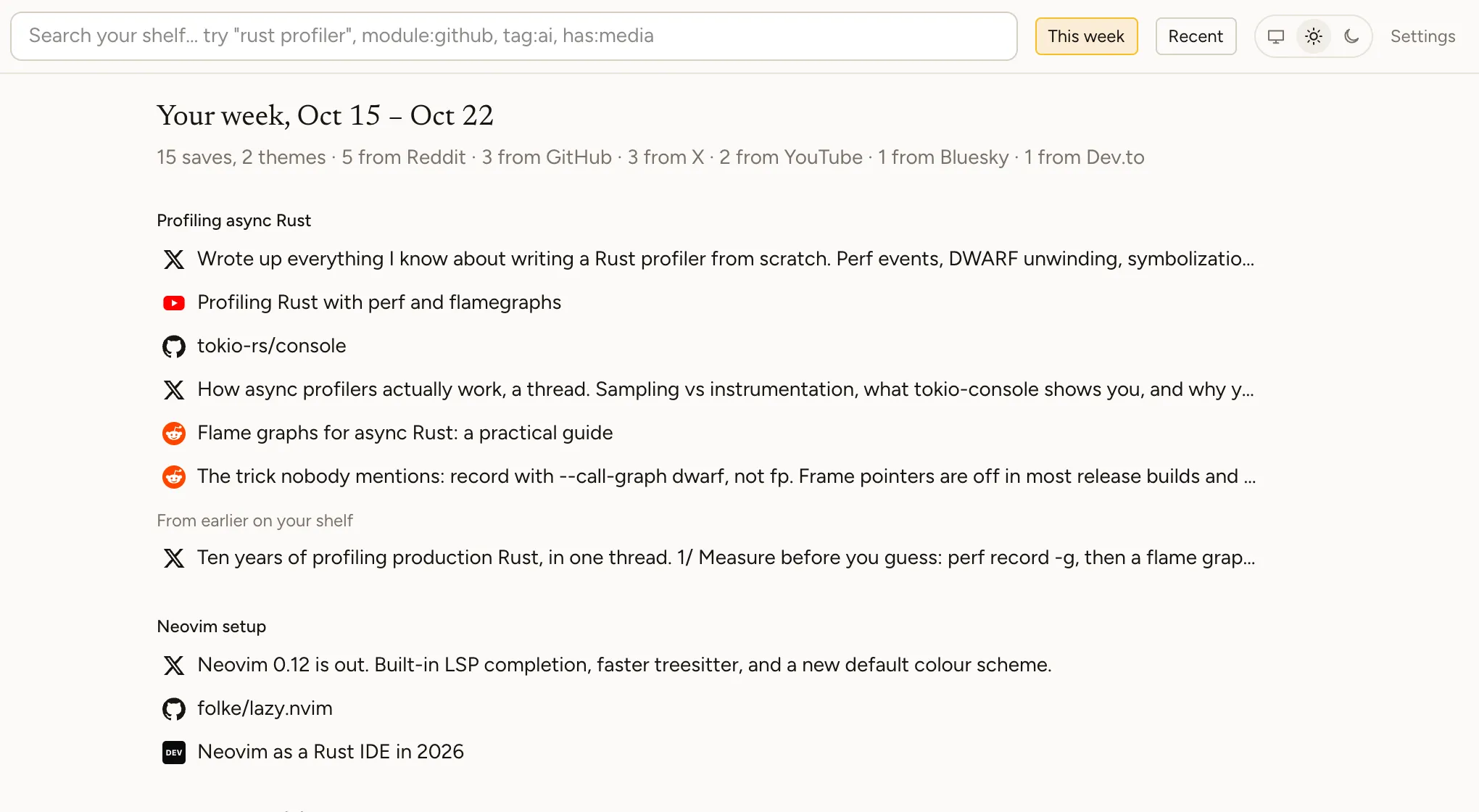
What you saved this week, by subject.
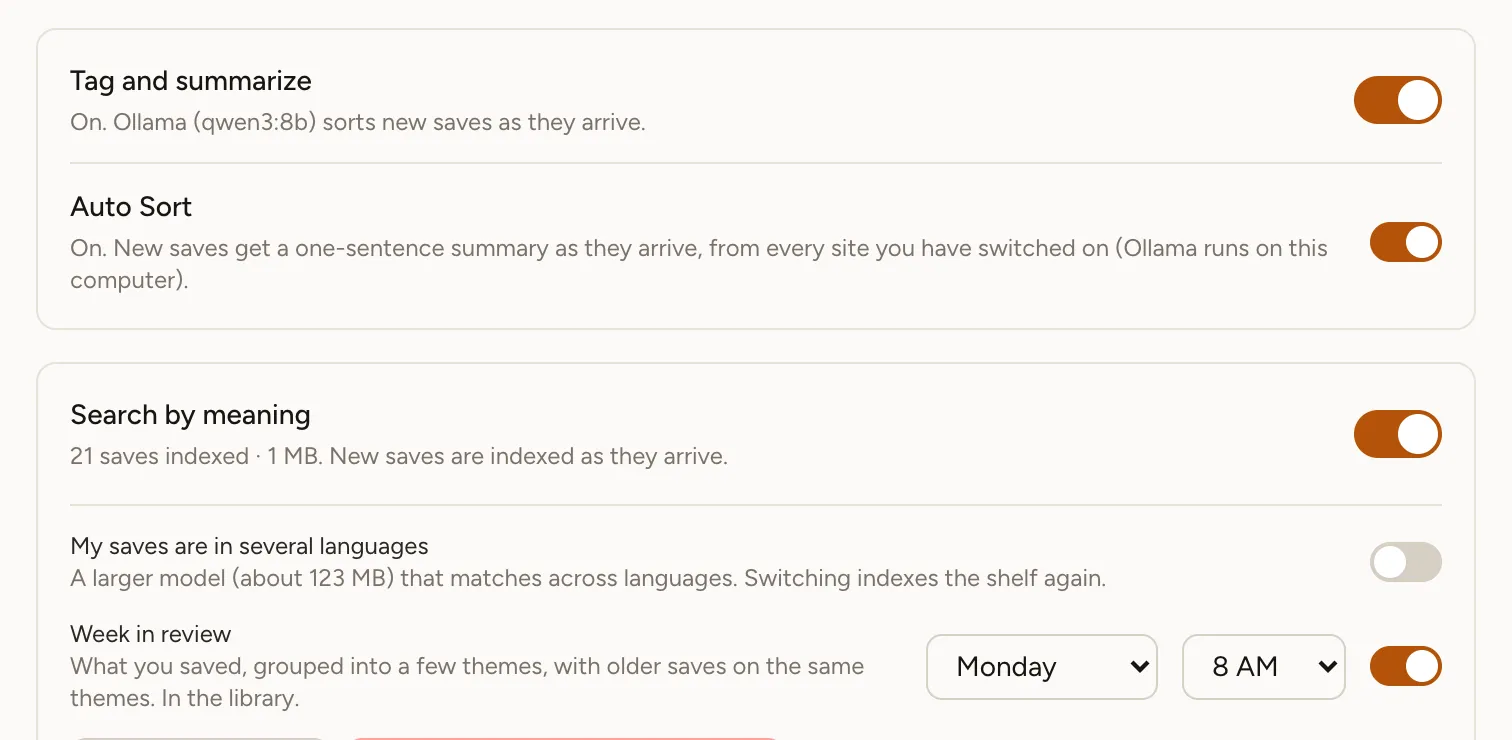
Once a week, on the day and hour you pick, the library groups what you saved into a few themes and brings back older saves on the same subjects. It is built on your computer, and it waits in the library: no email, no notification.
Kept
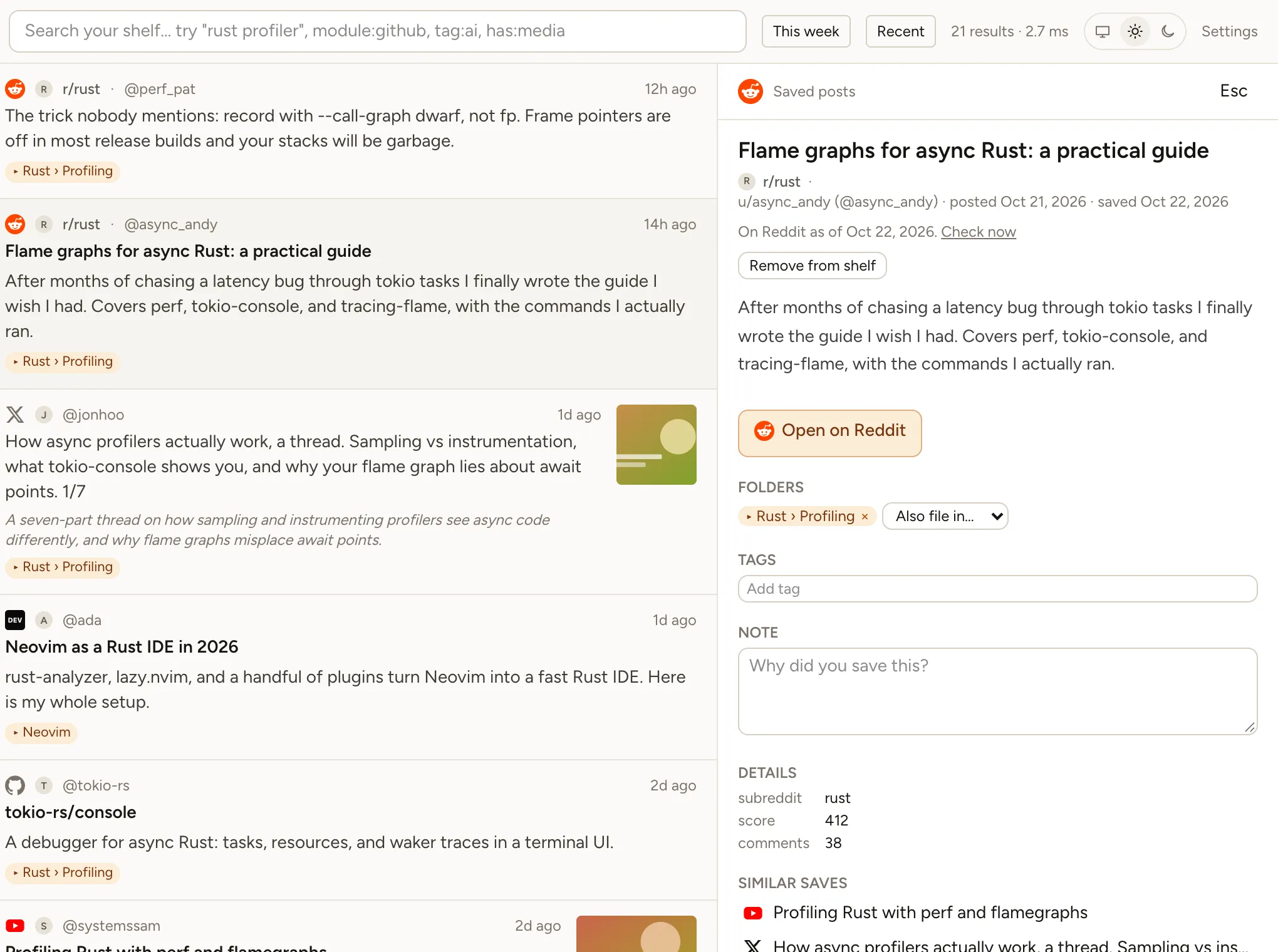
A copy that outlives the original.
Every save is stored with its text, pictures, links, the post it quoted, and the author’s thread. The shelf re-checks the source now and then and tells you when something disappeared, and your copy stays exactly as it was. With the Librarian, every item also lists the saves most like it, whichever site they came from.
Everywhere
One click away from any page.
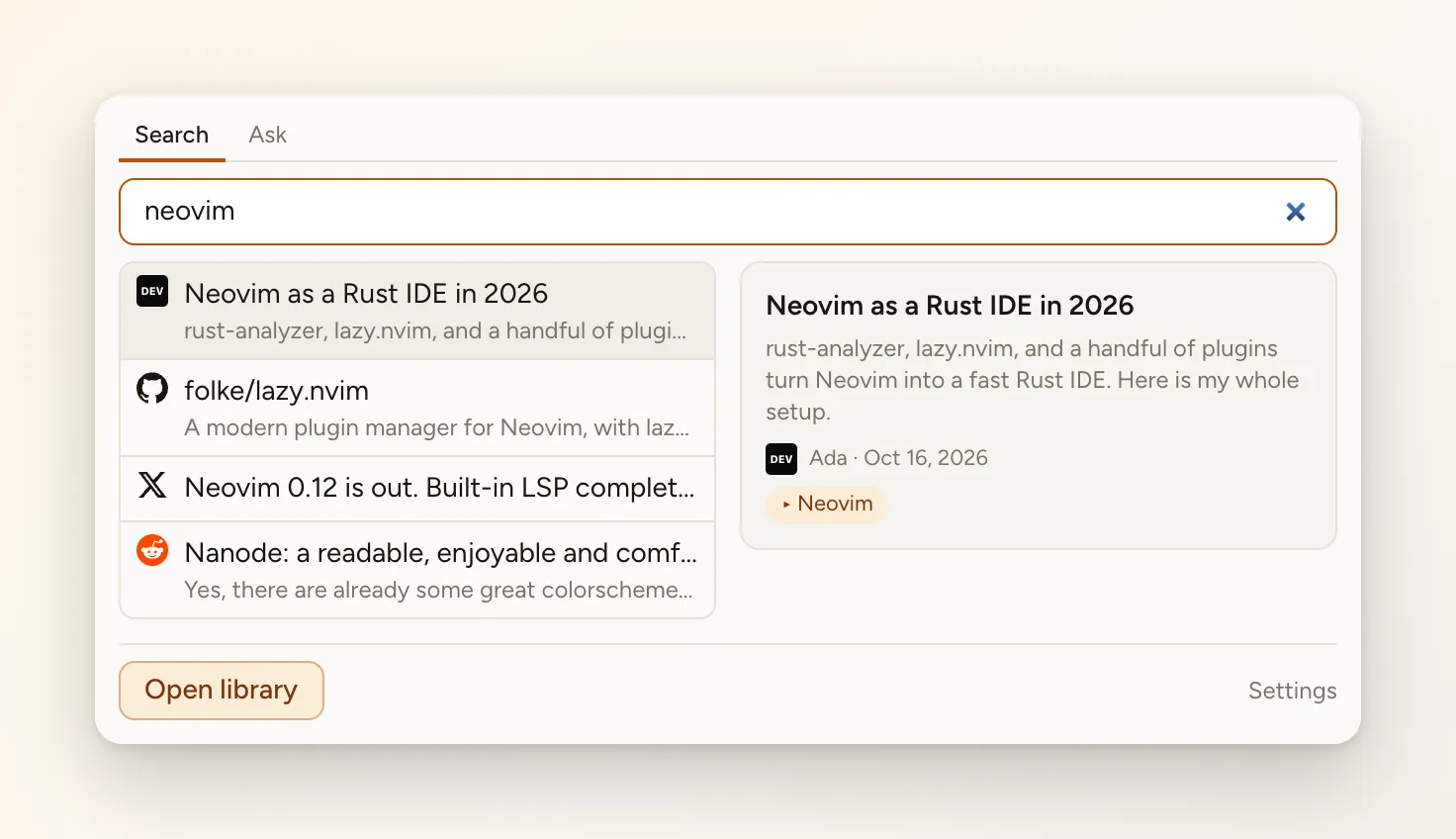
The toolbar popup searches the whole shelf and previews what it finds; with the Librarian, the Ask tab answers from it too. Press Ctrl+Shift+K from any page, or type bh and a space in the address bar. Search matches inside words, and filters by site, collection, type, author, folder, tag, and date.
Passphrase lock · free
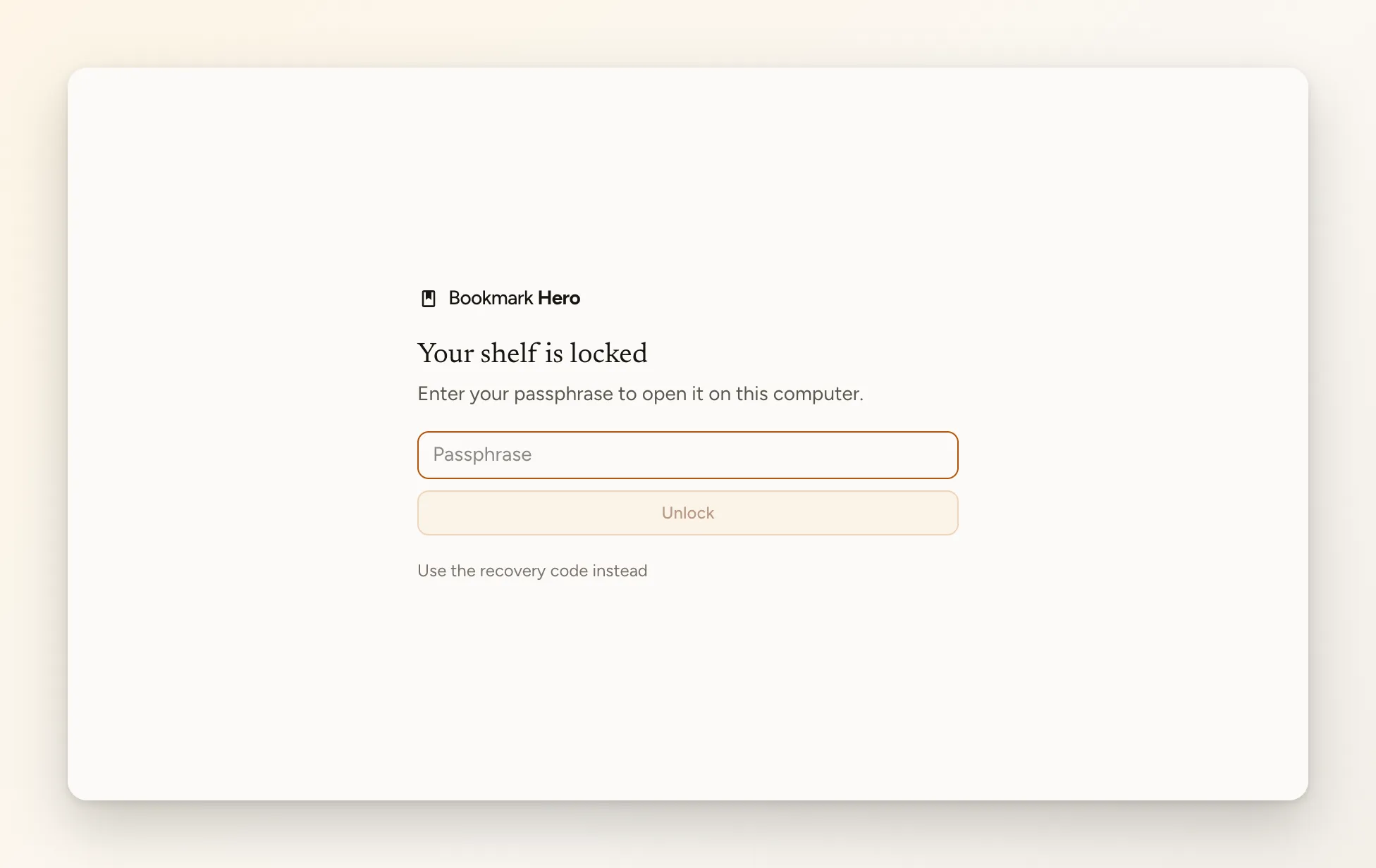
Lock the shelf on a shared computer.
Turn on the passphrase lock and the shelf and its pictures are encrypted on disk with AES-256-GCM. The key is made from your passphrase on your computer and never leaves the extension. A one-time recovery code is the only way back if you forget it: we cannot reset it, and we cannot read your shelf.
Your folders, your words
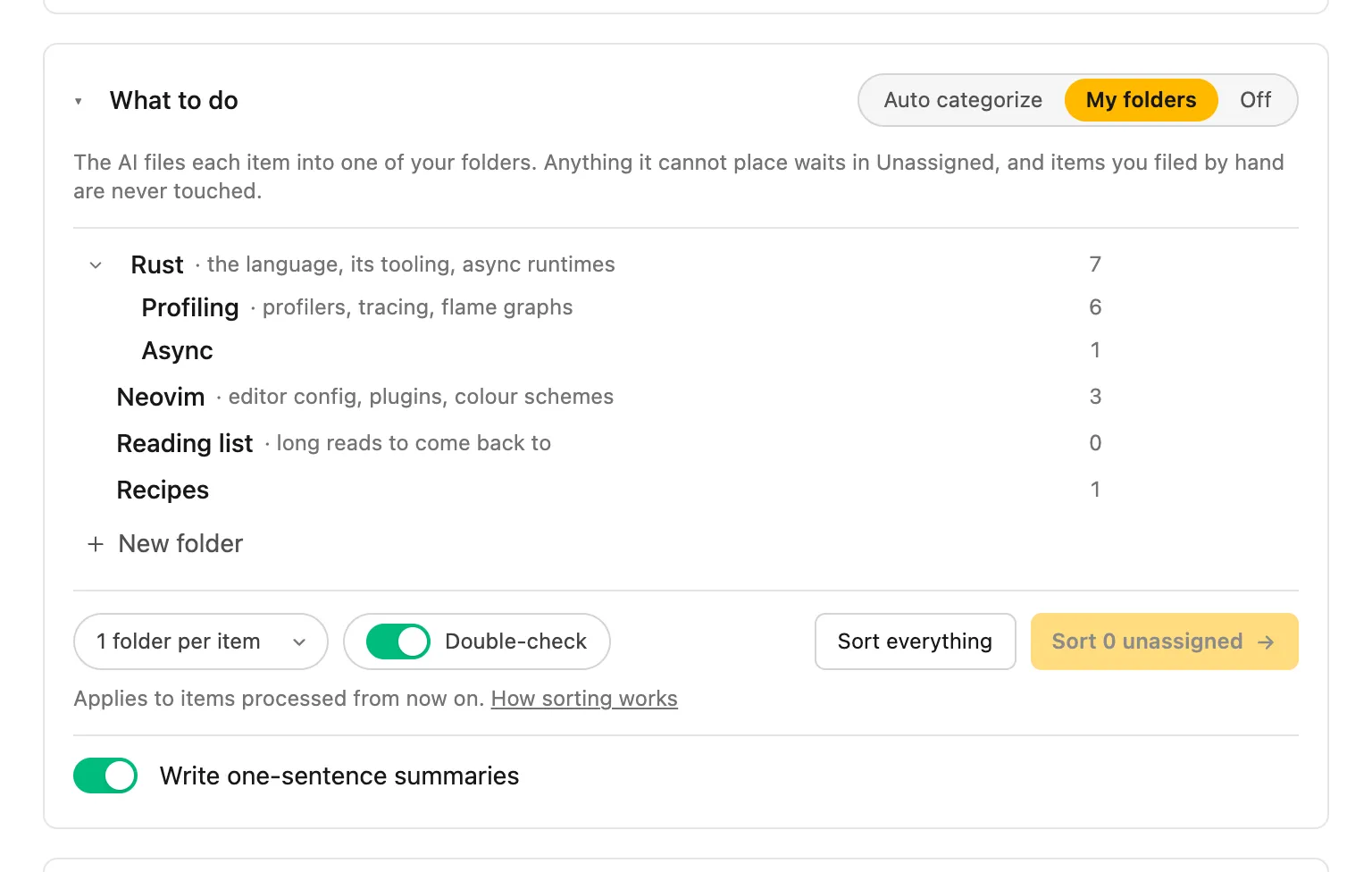
Design a folder tree, give each folder a line about what belongs in it, and file by dragging. The AI can file new saves into it for you, and never touches what you filed yourself.
Instant capture Librarian
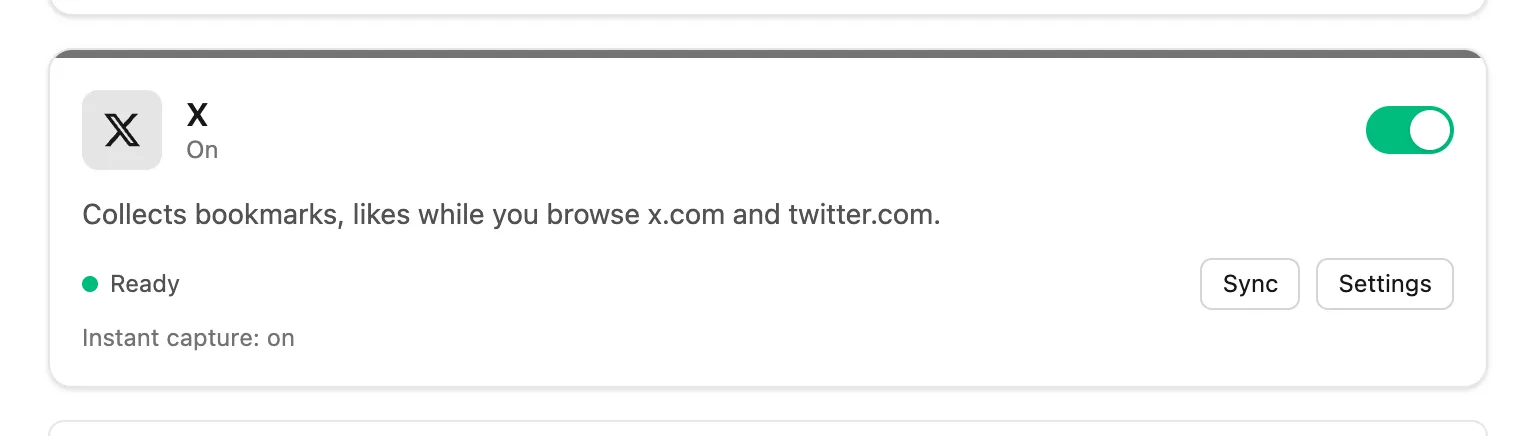
Click Save, Bookmark, or Star on the site and the item is on your shelf within seconds; undo it and it comes off again. No waiting for the next sync.
AI on your terms
Tags, summaries, and filing are free with a model on your machine or your own key. Bookmark Hero AI does them with nothing to set up and no key to manage: comes with the Librarian, or bought once as a Shelving pass. How it works and what each way costs.
Promises
What Bookmark Hero never does.
It is your library. We built it so that we could not read it if we wanted to.
- Noaccount, for the free extension.
- Noserver with your saves on it.
- Nosearch index in the cloud: meaning search runs on your computer.
- Noanalytics or telemetry, in the extension or on this site.
- Noads, and nothing sold or shared.
- Nolock-in: export everything in open formats, any time.
Pricing
Free for the shelf. A Shelving pass or the Librarian for the help.
Everything that keeps and finds your saves is free, for good, and so is AI tagging with your own model or key. Bookmark Hero AI, with nothing to set up, comes two ways: a Shelving pass, bought once, or the Librarian, which also adds search by meaning, Ask, the week in review, and instant capture. One licence covers three browsers.
Free
$0
The whole shelf, for good. No account, nothing leaves your computer.
- ✓All nine sources, with history import
- ✓Any page saved by hand, with its text and a screenshot
- ✓Copies that outlive the original
- ✓Search, filters, folders, tags, notes
- ✓The popup and the address-bar shortcut
- ✓AI tags, summaries, and filing with a local model or your own API key
- ✓Passphrase lock for the shelf on your computer
- ✓Export in open formats
Shelving pass
No subscription$4 once
Bookmark Hero AI for the shelving alone: one big import to tag and file, or a shelf you would rather not subscribe for.
- ✓Everything in Free
- ✓2,000 items of Bookmark Hero AI: tags, summaries, and filing into your folders, nothing to set up
- ✓The items never expire; spend them in a weekend or over a year
- ✓A week of the Librarian included, to try the rest
- ✓Nothing wasted if you upgrade: the pass comes along onto a trial or the Librarian
- ✓Three browsers per licence
Price in USD; tax is added at checkout where it applies. Also sold from Settings → AI in the extension, where it activates by itself.
Not in the pass: search by meaning, Ask, the week in review, and instant capture. Those come with the Librarian.
Librarian
Founding price$4 / month
or $36 a year
Yours for as long as you stay subscribed. After the founding period, which ends January 12, 2027, new subscribers pay $5.99 / month or $45 / year.
- ✓Everything in Free
- ✓Search by meaning, with the model on your computer
- ✓Ask your shelf: answers from your saves, with a link to each. 300 questions a month with Bookmark Hero AI, or use your own model
- ✓Similar saves beside every item
- ✓The week in review, by theme
- ✓Instant capture: on the shelf the moment you click Save
- ✓Bookmark Hero AI for tags, summaries, and filing, nothing to set up: 1,500 items a month; 5,000 more for $5, never expire
- ✓Three browsers per licence
Guides
The sites’ limits, and the ways around them.
- Reddit’s 1,000 saved posts limit, and how to get older saves back
- How to export your Reddit saved posts and comments
- What happens to your X (Twitter) bookmarks when a tweet is deleted
- How to export your X (Twitter) bookmarks
- How to organize, tag, and search your GitHub stars
- How to export your Bluesky saved posts and likes
- How to export your YouTube liked videos and Watch later
- A local-first bookmark manager: your saves on your computer, not a server
- Getting started with Bookmark Hero
- How to tag and summarize your bookmarks with AI
Questions
Answers, briefly.
Do I need an account?
No. Install the extension, switch on a site, and browse. The free extension never asks for anything. A paid licence, the Librarian or a Shelving pass, is a key: bought from inside the extension it activates by itself, and on another browser you paste it once.
Where does my data go?
Nowhere, unless you pick a cloud AI. The shelf lives in your browser, and we run no server that stores your saves, searches, tags, or notes. If you choose a cloud AI provider, the items it works on go to that provider, from the sites you allow; Bookmark Hero AI keeps counts only, never the text. Export everything in open formats whenever you like.
How does it read my saves without an API key?
It reads them the way the site’s own page does, with the login your browser already has, at a polite pace. Nothing is written to the site, and nothing is fetched about items you did not save.
What happens when a post I saved is deleted?
Your copy stays, with its text, pictures, links, the post it quoted, and the author’s thread. The shelf shows when it disappeared from the site.
Does search by meaning send my saves anywhere?
No. A small model (24 to 46 MB, downloaded once) runs inside the extension and builds the index on your computer. Searching it, similar saves, and the week’s themes never leave your browser. Only Ask sends anything: your question and up to 20 matching saves, to the AI provider you chose. With a local model, not even that.
Can I lock my shelf?
Yes, for free. Settings → Storage → Passphrase lock encrypts the shelf and its cached pictures on your computer with AES-256-GCM, under a key made from your passphrase. You get a one-time recovery code; without the passphrase or the code, nobody can open it, us included. Settings, model files, and exports you save elsewhere are not covered.
Which AI providers can I use?
Bookmark Hero AI, with nothing to set up: comes with the Librarian, or bought once as a Shelving pass. Or bring your own: Anthropic, OpenAI, or anything that speaks the OpenAI chat API on your own machine, such as Ollama, LM Studio, Jan, LocalAI, llama.cpp, or vLLM. Tagging, summaries, and filing with your own model or key are free.
What does the Librarian do?
The Librarian is Bookmark Hero AI with nothing to set up, plus search by meaning, Ask your shelf, the week in review, and instant capture. That is 1,500 items a month for tagging and filing, 300 questions a month to Ask, and similar saves beside every item. Everything that keeps and finds your saves stays free. One licence covers three browsers.
What is the Shelving pass?
A one-time purchase: 2,000 items of Bookmark Hero AI for $4, once. It covers tags, summaries, and filing through Bookmark Hero AI, for someone who will not subscribe or has one big import to sort. The items never expire and come along onto a trial or the Librarian. It does not include search by meaning, Ask, the week in review, or instant capture. A week of the Librarian comes with the pass, so the rest can be tried.
Which browsers?
Chrome and Chromium browsers such as Edge, Brave, Arc, and Opera. Firefox is being tested.
More on the support page.
Start the shelf today.
Install, switch on a site, and the next thing you save is already there. The ones you saved years ago follow.
Get the extension