How to tag and summarize your bookmarks with AI
Updated 2026-10-22
The short answer: past a few hundred saves, tagging by hand stops happening, and the sites you save on do not help: X, Reddit, YouTube, and Bluesky have no tags at all, and browser bookmarks have folders but nothing that says what a page was about. A language model can read each save and propose tags, a one-sentence summary, and a folder, which turns a pile into something you can search. The catches are real: the model needs the text, so it matters where that text goes; it costs either money or your computer’s time; and its suggestions are guesses, which is why they should wait for your approval rather than overwrite your own. Bookmark Hero runs this four ways, three of them free of charge from us, and keeps every suggestion as a suggestion until you accept it.
What AI tagging is good at, and where it stops
- Consistency. A model given your existing tags reuses them. You get
rust, notrust,Rust, andrustlang. - Summaries of long things. A 40-tweet thread, a Reddit guide, a README: one sentence that says what it is, shown on the card, so you do not open ten saves to find the right one.
- Filing. Given a folder tree where each folder has a line about what belongs in it, a model files new saves into the folder that fits.
- Where it stops. A post with no text (a picture, a deleted tweet) gives it nothing to work with. A tag you would never have chosen is still wrong. And a model only ever sees the text you give it, so the answer to “what goes where” decides which way below is right for you.
Four ways to run it
Any of them tags, summarises, and files. They differ in who pays, what leaves your computer, and what else comes with it.
| Cost | Where the text goes | Good for | |
|---|---|---|---|
| A model on your machine Ollama, LM Studio, Jan, LocalAI, llama.cpp, vLLM | Free | Nowhere | Privacy first; a computer that can run a small model |
| Your own API key Anthropic or OpenAI | You pay the provider per item, from a fraction of a cent | To that provider, from the sites you allow | Fast and cheap, if you already have a key |
| A Shelving pass Bookmark Hero AI | 2,000 items for $4, once; never expire | Through our service to the model, from the sites you allow; we keep counts, never text | Nothing to set up, no subscription; one big import to sort |
| Librarian Bookmark Hero AI | $4 a month or $36 a year: 1,500 items a month, packs for more | Same as the pass | Saving all the time; also search by meaning, Ask, the week in review, and instant capture |
With your own model or key, the tagging is free of charge from us and always will be: the extension talks to the provider directly, and nothing goes through a server of ours. Bookmark Hero AI is for people who want nothing to set up. A Shelving pass buys its items once; the Librarian includes a month’s worth and the rest of the paid tier. Items bought as a pass never expire and come along if you later subscribe; a week of the Librarian comes with the pass, so the rest can be tried first. Prices are on the pricing section.
Setting it up
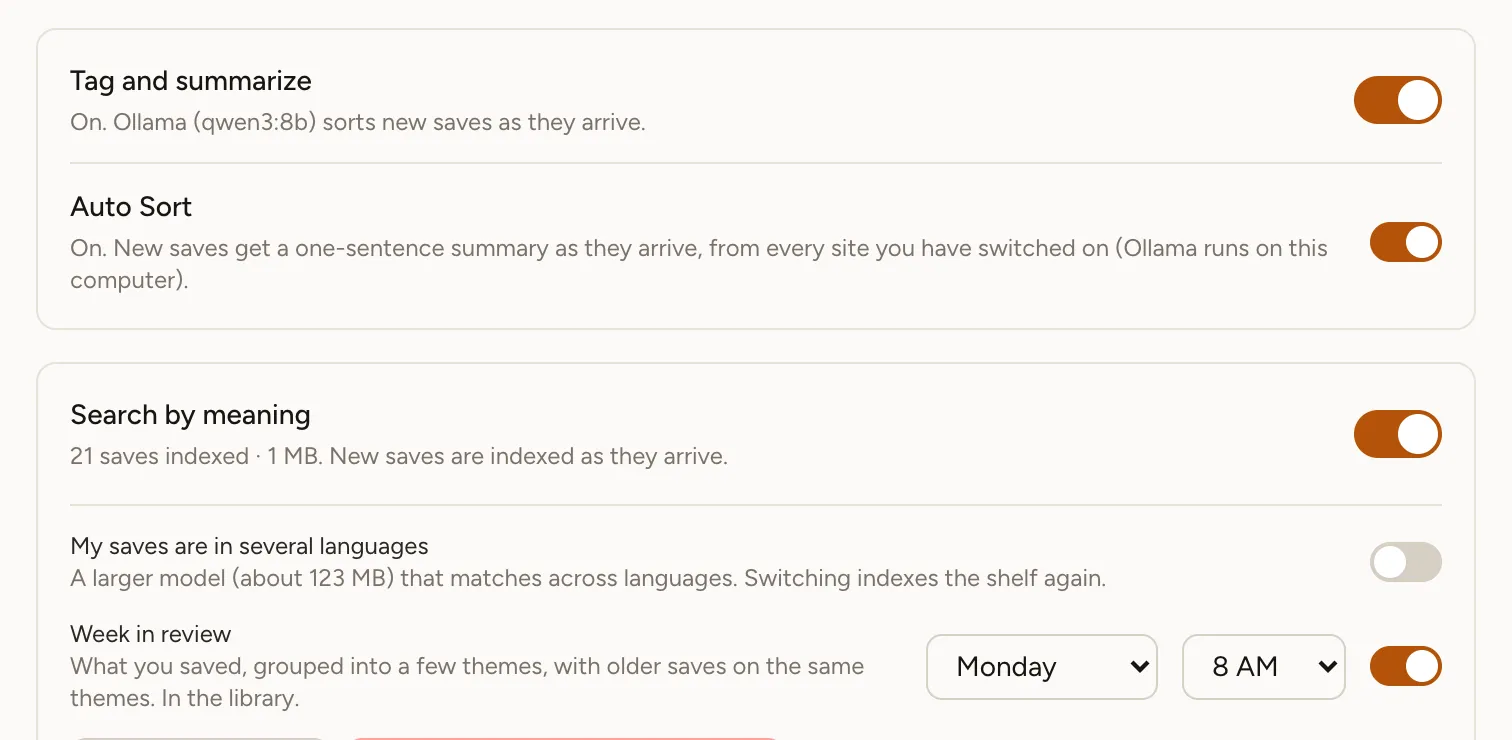
- Open Settings → AI and switch on “Tag and summarize new items”.
- Under Provider, pick one of the four. A local server needs its address (the defaults for Ollama and LM Studio are filled in); a key goes in a field and is stored in your browser; Bookmark Hero AI needs nothing.
- Under “What to do”, choose between tags the AI invents and filing into your own folders, and switch on summaries if you want them.
- For a cloud provider, including Bookmark Hero AI, tick the sites whose saves may be sent. Nothing from an unticked site ever leaves your computer. A local model has no such list, because nothing leaves.
- It reaches the shelf On your next visit to the site, or the moment you click with the Librarian.
- The model reads it Its text, and your existing tags or your folders’ descriptions.
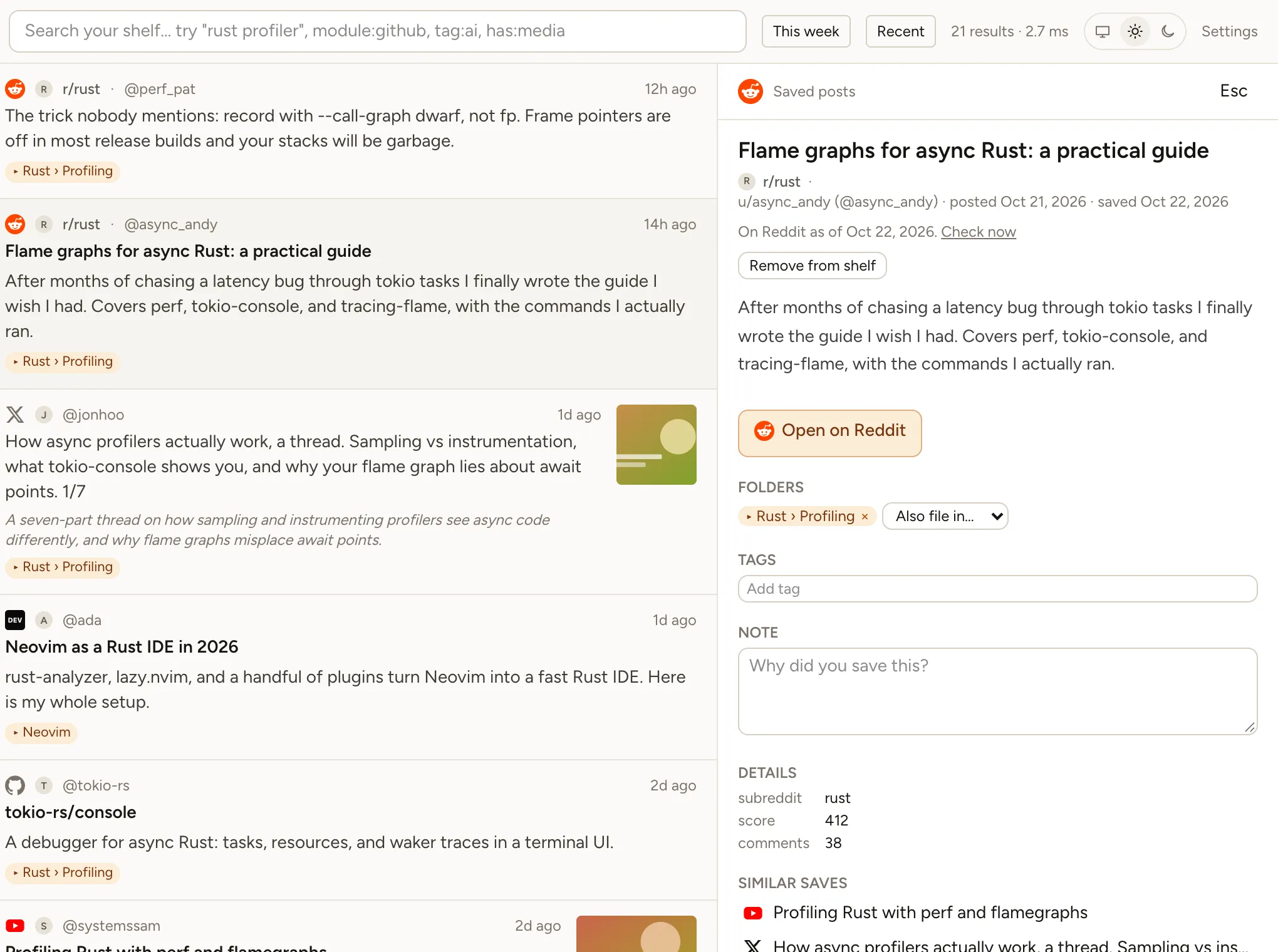
- Suggestions wait for you Tags and a folder, marked as suggested until you accept them. Your own tags are never changed.
Reviewing what it suggested
Suggested tags show on each save, set apart from the ones you added, and the shelf lets you accept or reject them a few at a time or in bulk. Reject one and that tag is not suggested for that save again. Accepting turns it into an ordinary tag, yours to rename or remove. A summary is shown on the card and can be edited or cleared. Nothing the model writes is final until you say so.
Filing into your own folders
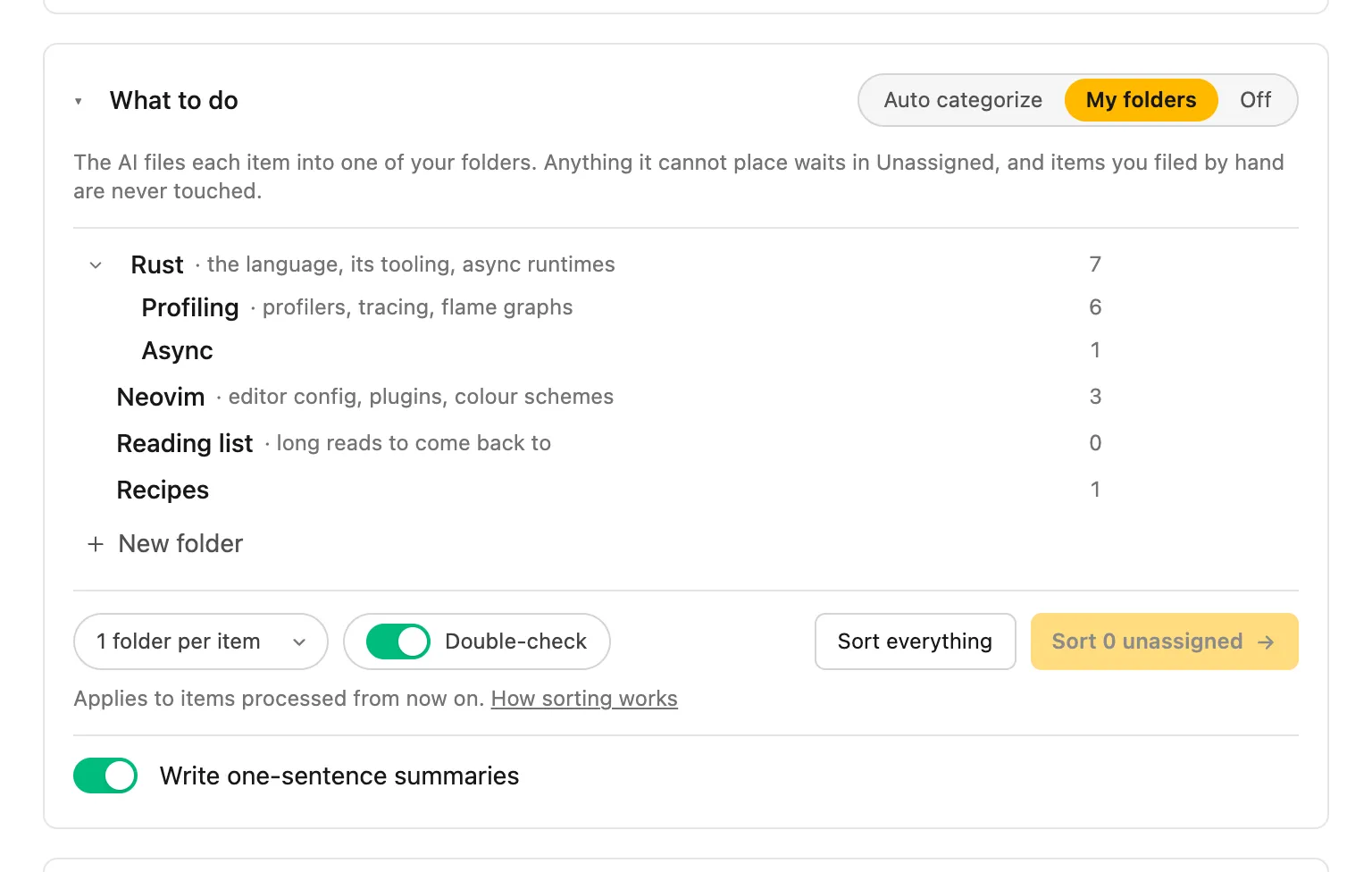
Tags are flat; folders carry structure. The folder designer under Settings → AI lets you build a tree and give each folder one line about what belongs in it, in your own words. The model reads those lines, not just the folder names, so “Reading: long pieces I mean to come back to” files differently from “Reference: things I look up”. Anything you filed yourself stays where you put it.
Sorting a big import at once
The first sync of a site can bring in thousands of saves, and the switch above only handles what arrives from then on. To sort the backlog, search for it on the shelf (module:reddit, say, or a tag) and press “Tag these N with AI” above the results; or press “Process unprocessed” in the AI tab’s queue to run everything that has never been looked at. The queue shows what is done and what is waiting, and stops cleanly when your items or your budget run out. This is the job the Shelving pass is sized for: 2,000 items covers most people’s backlog on one site, with the leftover items kept for whatever you save next.
Questions
Will it overwrite tags I added myself?
No. Your own tags, notes, and filing are never changed. The model adds suggestions beside them, and they stay suggestions until you accept them.
Do I need the Librarian to use the AI?
No. Tagging, summaries, and filing with your own model or your own key are free of charge from us. Bookmark Hero AI, which needs nothing to set up, comes with the Librarian or as a one-time Shelving pass. The Librarian is for search by meaning, Ask your shelf, the week in review, and instant capture.
What does Bookmark Hero AI keep?
Counts: how many items each licence used, and what they cost us. No item text, no prompts, no replies. The model provider’s own terms apply to the call, and training on your content is off. The privacy page has the details for every provider.