How to export your X (Twitter) bookmarks
Updated 2026-10-12
The short answer: X has no bookmark export, and its data archive does not list bookmarks. The API can read them, at a price per item. Bookmark Hero collects your X bookmarks and likes in your browser and exports them, with their text, for free.
The options
X itself
The archive from Settings and privacy → Your account → Download an archive of your data covers your posts, messages, media, followers, and Lists; bookmarks are not among its listed contents (X Help). Bookmark folders are a paid feature from the Basic tier up (X Help), and they organize bookmarks, they do not export them.
The X API
The bookmarks endpoint returns your bookmarks 100 at a time with a user login (X API docs). Since February 2026 the API is pay-per-use with no free tier for most developers, and since April 2026 reading your own bookmarks costs $0.001 per item (X API changelog). It works if you can write code and set up a developer account.
Export extensions
Several extensions download your bookmarks to CSV or JSON in one go. They give you a file at that moment; they do not keep collecting, and many keep the export behind a paid plan.
Exporting with Bookmark Hero
- Install Bookmark Hero and switch on X. No account and no API key: it reads your bookmarks and likes the way X’s page does, with your browser’s login.
- Each bookmark is kept with its text, pictures, links, the post it quoted, and the author’s thread, and new ones keep arriving as you browse.
- Open Settings → Storage → Export and choose CSV, JSON, Markdown, or a bookmarks file.
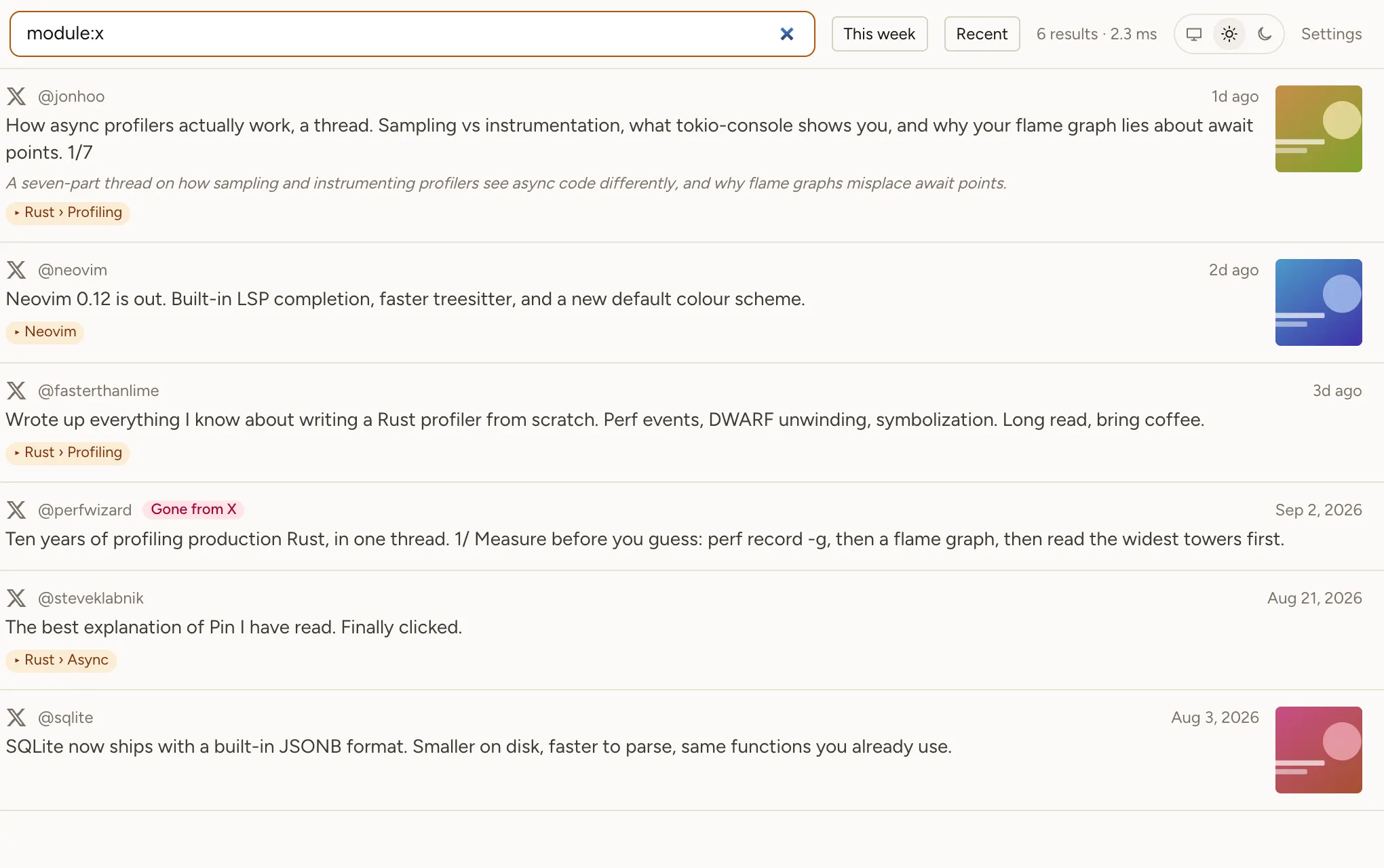
The CSV has one row per item with its site, collections, title, link, author, dates, availability, tags, note, and full text; filter the module column to x for X alone. The export covers the whole shelf and costs nothing. It is built in your browser, never on our servers.
Why keep collecting instead of exporting once
A bookmark is only a pointer: when a post is deleted, it disappears from your bookmarks (what happens). A one-off export is a snapshot; Bookmark Hero keeps a copy of each bookmark as it arrives, so the next export still has the posts that vanished in between.