How to export your Reddit saved posts and comments
Updated 2026-10-12
The short answer: Reddit has no export button for saved posts. Its data request gives you a list of ids and links, not the posts. Bookmark Hero keeps your saved posts and comments with their full text and exports them, free, as CSV, JSON, Markdown, or a bookmarks file.
What Reddit gives you
The only built-in route is the data request at reddit.com/settings/data-request. It can take up to 30 days and arrives as CSV files (Reddit Help). Your saves are in saved_posts.csv and saved_comments.csv, one row per save with its id and permalink. There is no title, no text, and no subreddit, so the file tells you what you saved but not what it said.
Copying from the saved page by hand works for a handful of posts, and runs into Reddit’s list limit of about a thousand (more on that).
Exporting with Bookmark Hero
- Switch on Reddit in Bookmark Hero. Your saved posts, saved comments, and upvotes come onto the shelf with their title, text, subreddit, author, and pictures.
- If you have more than about a thousand saves, add your data request’s CSV files to the Reddit card in Settings → Modules; each post is fetched and filled in.
- Open Settings → Storage → Export and pick a format.
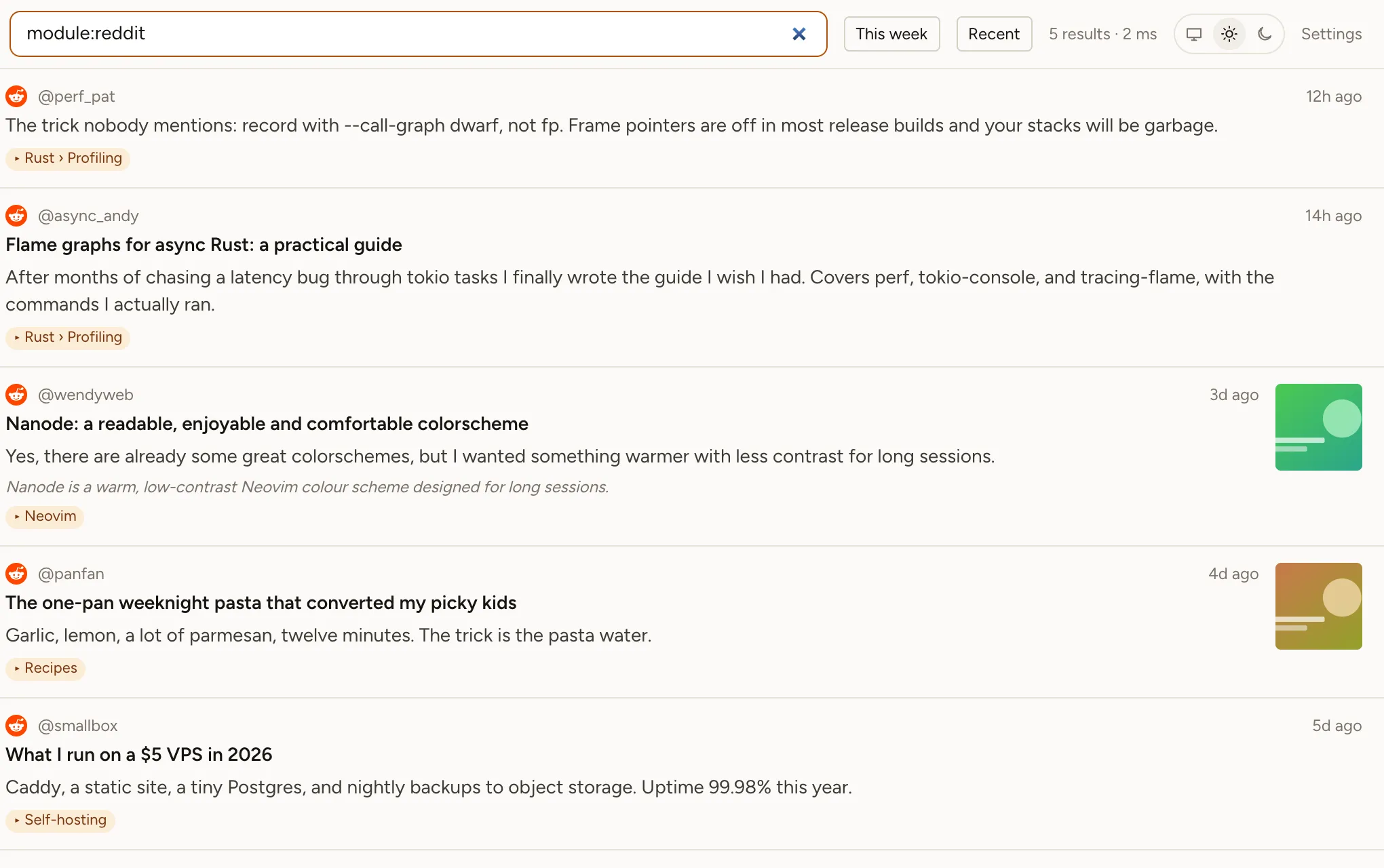
What the export contains
- CSV: one row per item with its site, collections, type, title, link, author, dates, availability, tags, note, summary, and full text. Filter the
modulecolumn toredditfor your Reddit saves alone. - JSON: everything, one item per line, including comment threads and the context of each save; it can be imported back.
- Markdown: readable notes, ready for Obsidian or any notes app.
- Bookmarks file: the standard HTML format every browser and bookmark manager imports.
The export is the whole shelf, every site you use, and it is free: export is not a feature we sell. It is built in your browser; nothing goes through our servers.
If a post has been deleted
Your copy stays. The export’s availability column says when a post is gone from Reddit, and the text you saved is still there.